
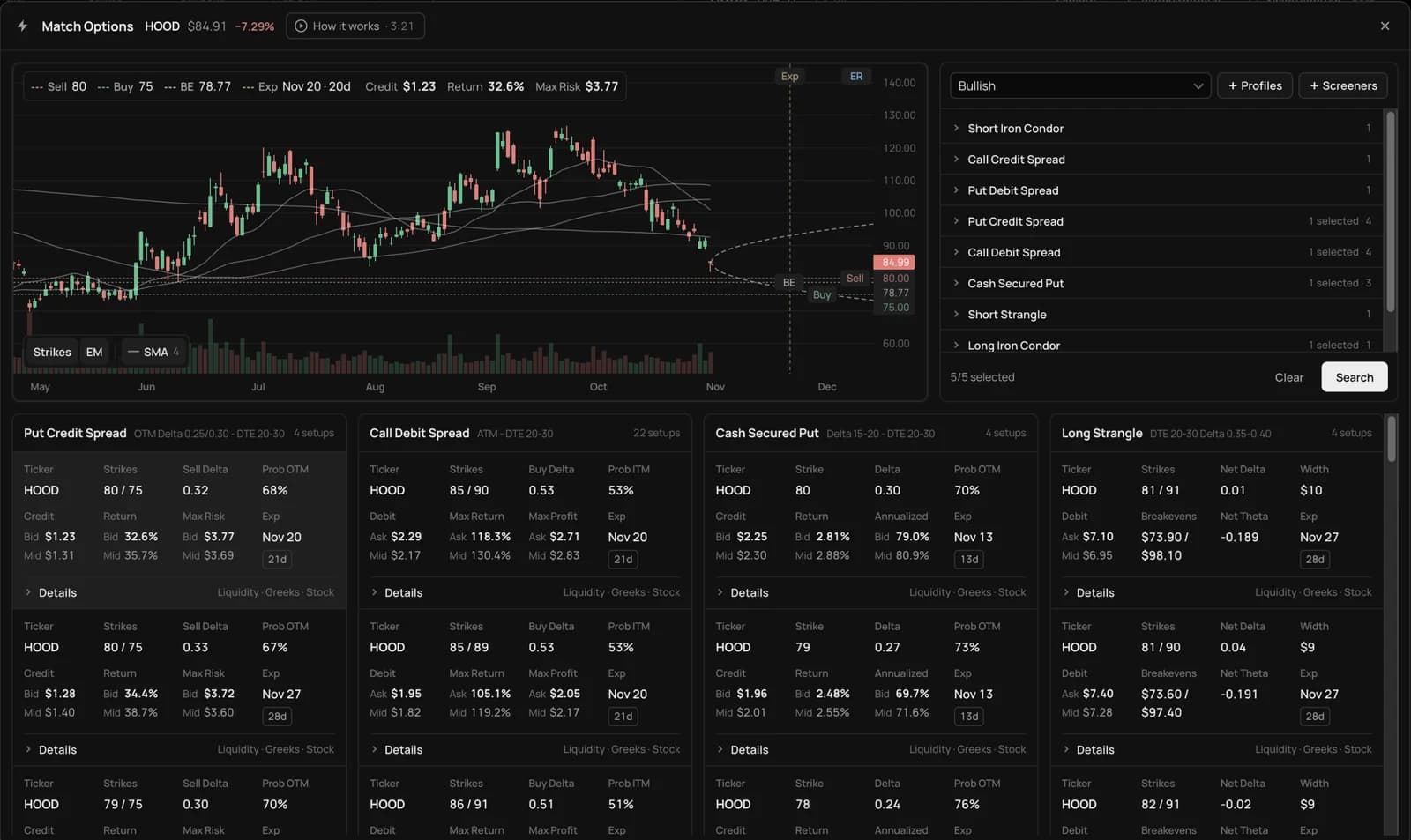
Match Options
The same ticker across the strategies you choose: credit, debit, neutral or long volatility, side by side with the chart.
Screen options for any market view, then see the chart, the stock's trend and your own history on the same screen.
7 days free · no credit card
Built by an options professional with 12 years in the market, to stop jumping between platforms to check one position.
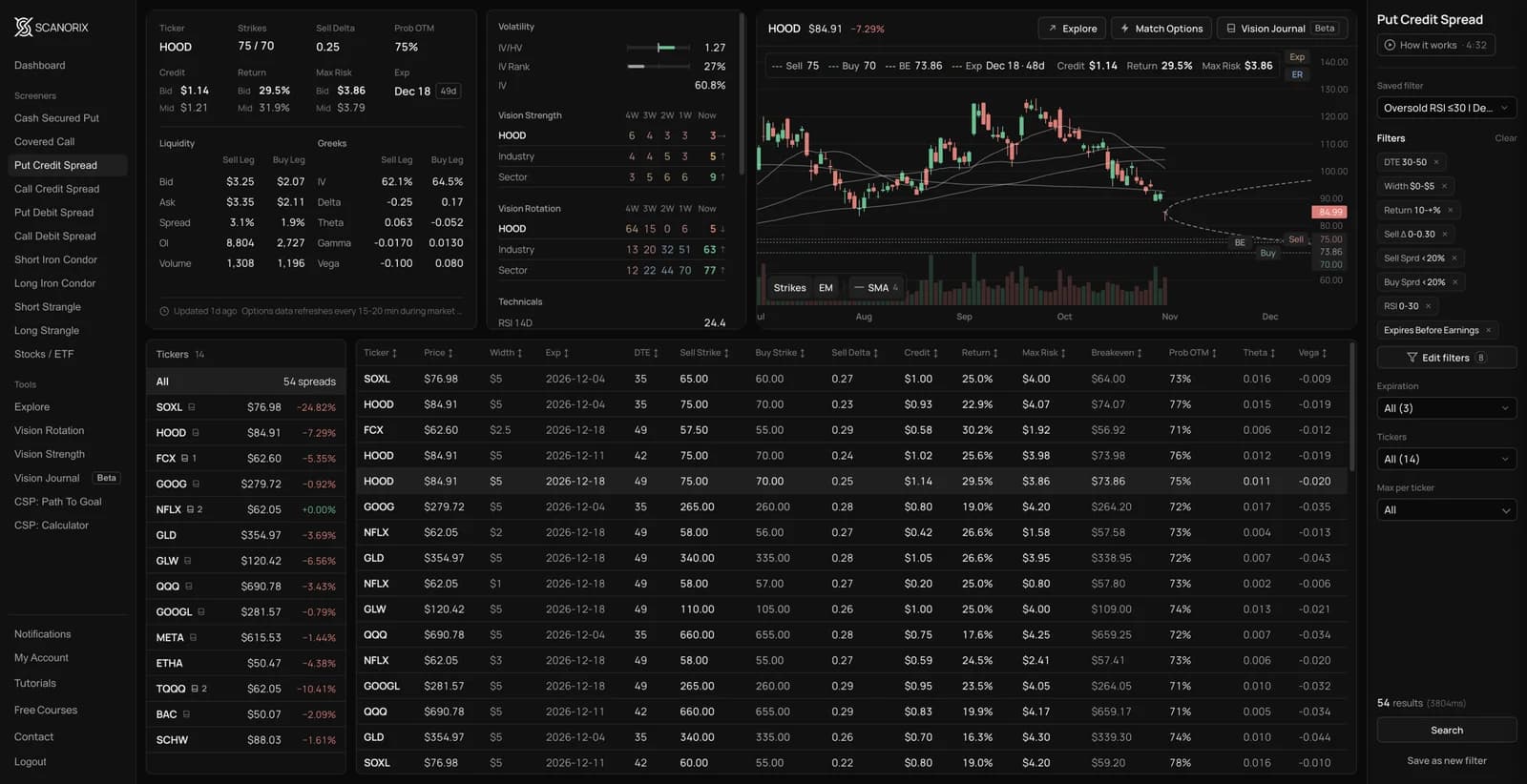
From a screener result to the stock, the chart and your Journal, on one screen. Here's how it works.
The setupCredit, return and risk at bid and mid, with liquidity and greeks for every leg.
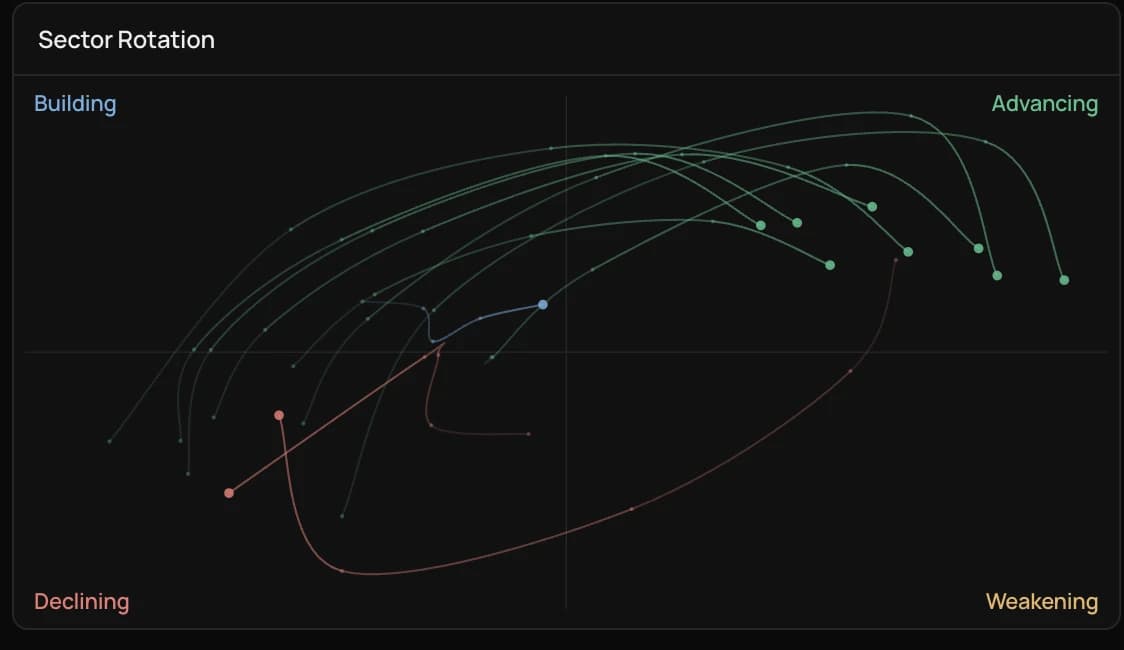
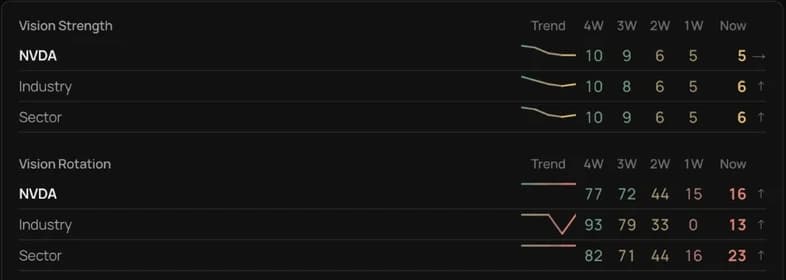
The stockIV/HV and IV Rank, plus trend strength and sector rotation, week by week.
The chartStrikes, breakeven, expiration and earnings on the price, with the expected move.
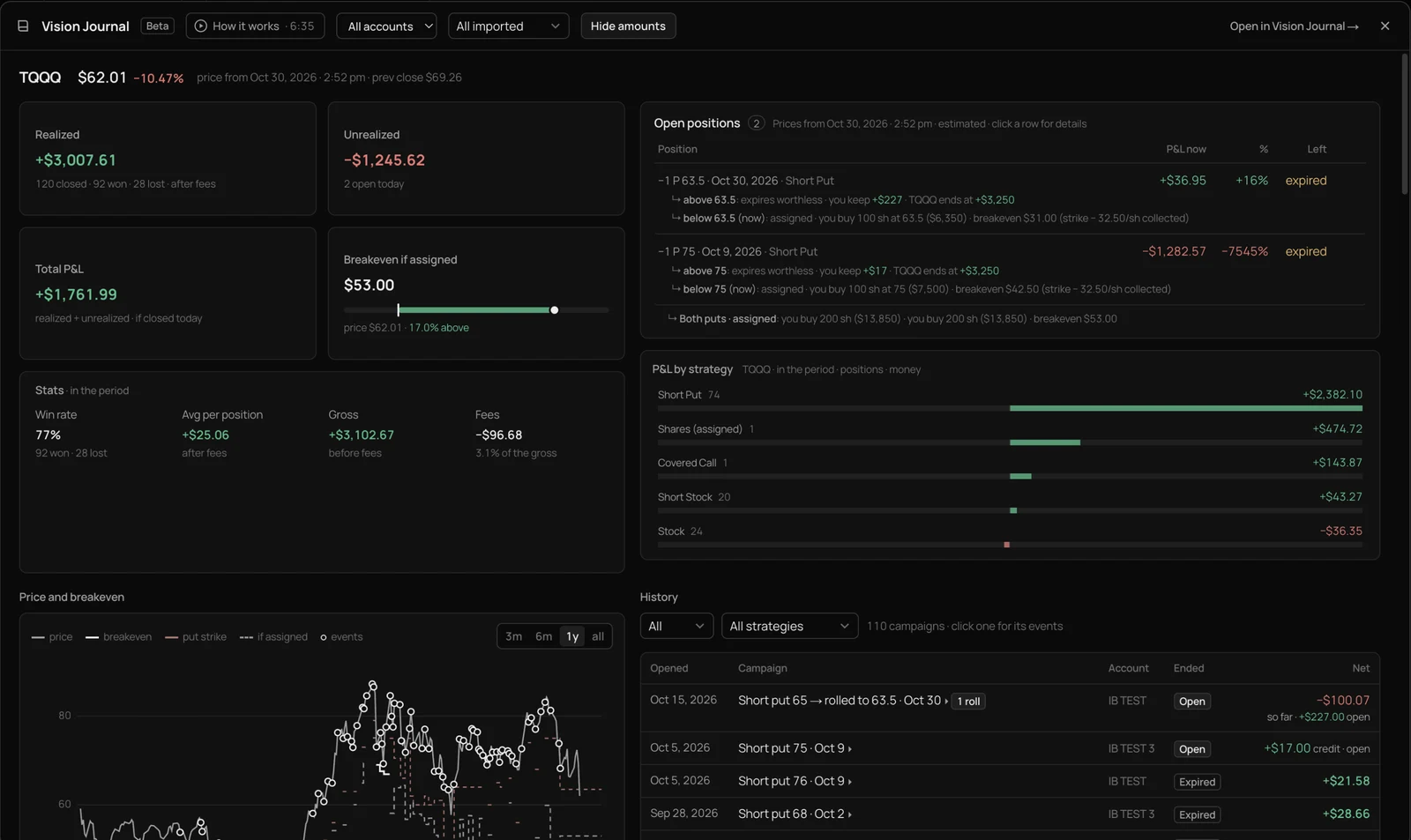
One click awayExplore, Match Options and your Journal open right here, over the screener.
Every tool opens over the screener, on the ticker you're looking at. Close it and you're back on the same result.
The same ticker across the strategies you choose: credit, debit, neutral or long volatility, side by side with the chart.
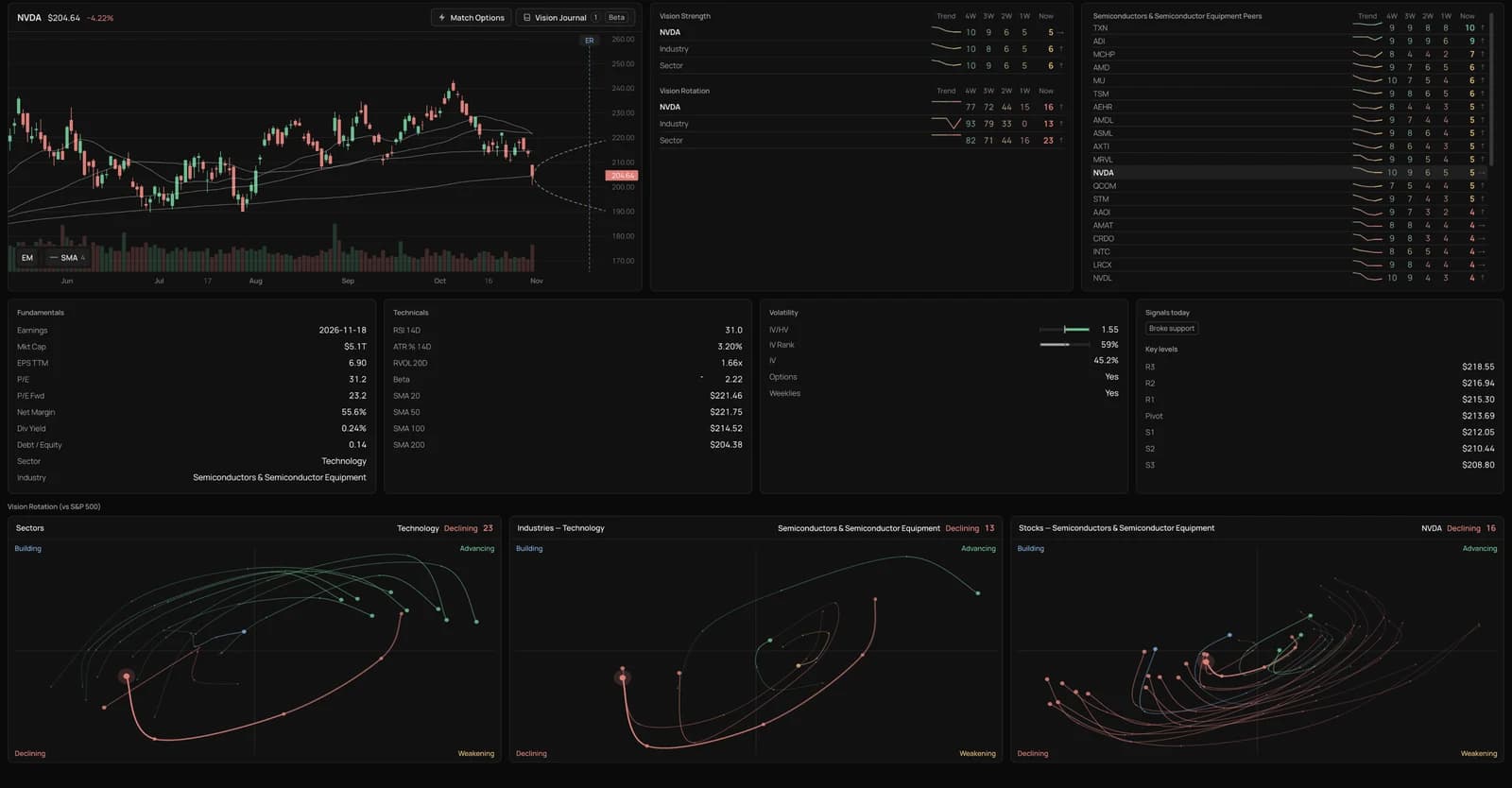
The whole stock on one page: fundamentals, technicals, volatility, key levels, how it ranks against its peers and where its sector and industry are rotating.
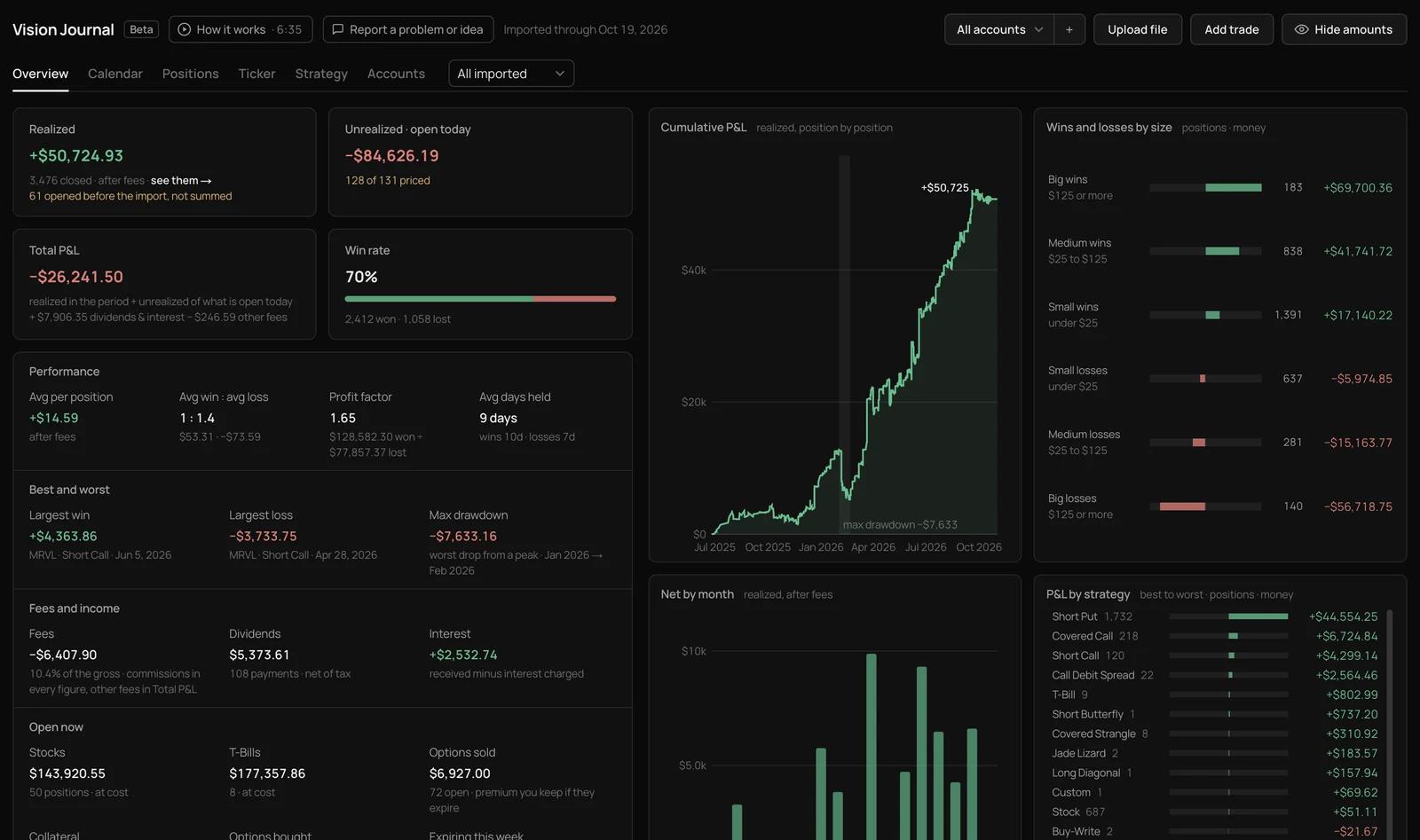
Import your broker statement and every position is rebuilt for you: spreads, iron condors, strangles, the wheel, rolls, assignments and dividends.
Cash secured puts, covered calls, put and call credit spreads, put and call debit spreads, short and long iron condors, short and long strangles, plus a stock and ETF screener. Your membership includes every screener we add.
Options data refreshes every 15 to 20 minutes during market hours. Each result shows when it was last updated.
No. Scanorix doesn't generate recommendations, alerts or signals. You set the criteria, the platform computes the numbers, and every decision is yours.
Charles Schwab (thinkorswim), Interactive Brokers (Flex Query) and Tastytrade. You can also add positions by hand.
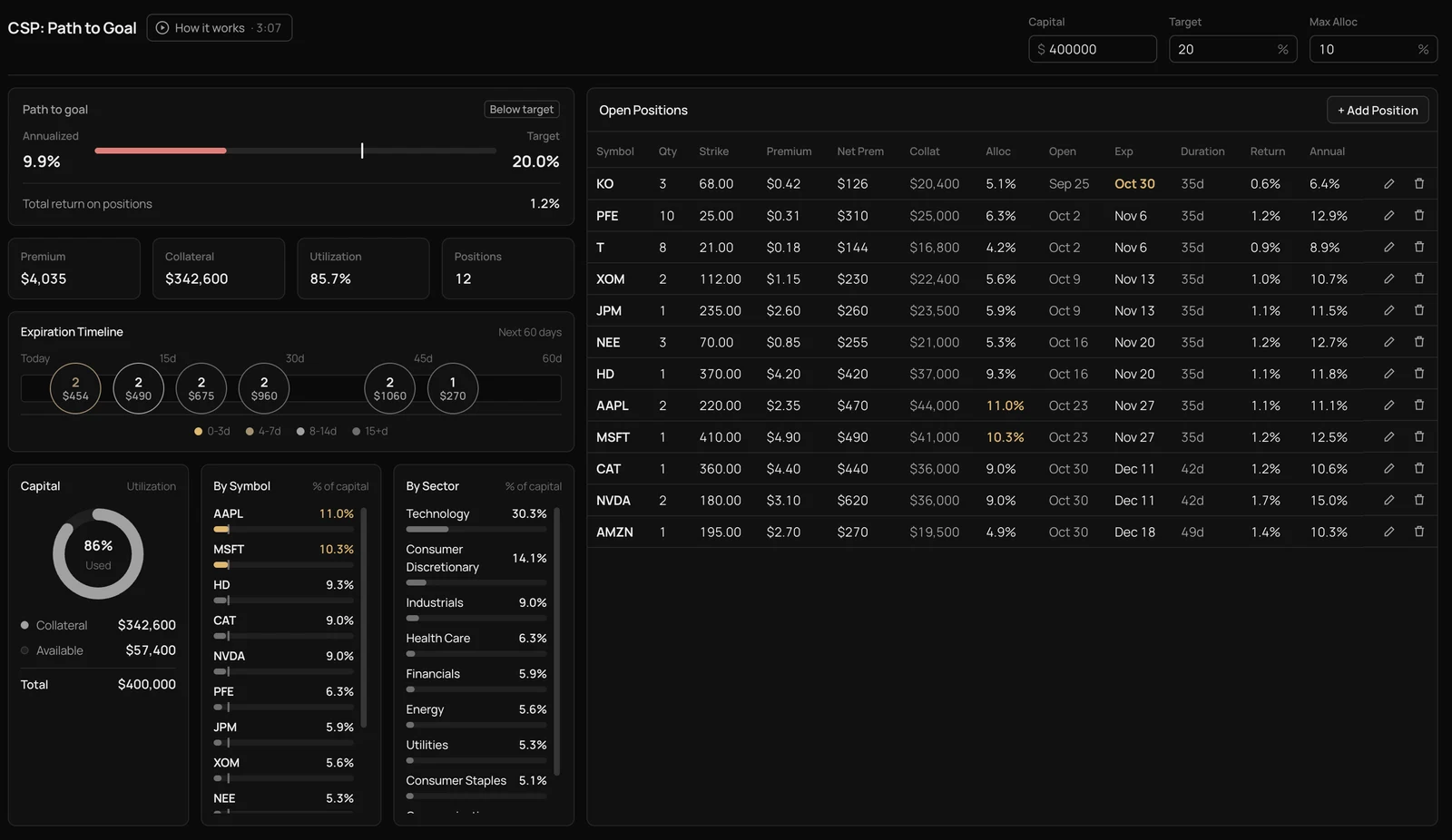
Yes. The screeners, Vision Journal and Path to Goal fit on your phone: run a screener, go through the results and open each option with its chart. Match Options, Explore and Vision Rotation work best on a larger screen.
Yes. No long-term commitment. Cancel from your account settings whenever you want.
Every angle, on one screen.
7 days free · no credit card